BG

Remixes 1
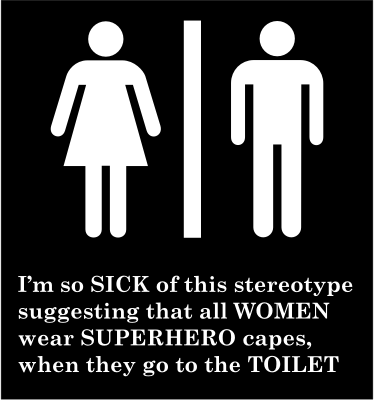
Want to remix this clipart?
- Download the SVG
- Edit it in your favourite SVG editor
- Upload with Upload Remix (links automatically)
Sources
No catalog sources linked yet.
I found this clipart!
Related Finds — Openclipart spotted in the wild. Browse all · Atom
No Finds yet.
Log in to post a Found.
Comments
@Sonshine_Penguin
2015-03-30 12:08:58+00Ha ha ha ha.
I agree!!!
@Sonshine_Penguin
2015-06-17 04:30:42+00Thanks, now everywhere I go in public I think of this!!! LOL!!!
@GDJ
2015-06-17 05:02:28+00:)
@Khanke
2015-06-20 13:30:31+00How true, how true.
@GDJ
2015-10-27 21:13:24+00When I uploaded this, the text wasn't cut off... Did something change?
@AdamStanislav
2016-05-29 00:23:06+00Yes, something changed. Something always changes when you include text in a graphic without converting it to a path. In this case, you included (or Inkscape included it for you) the Century Schoolbook Cyrillic Bold font. As a result, some software displays the text properly, other software does not. Not all SVG software understands SVG fonts. In that case, if the computer has that font (in this case, if Century Schoolbook Cyrillic Bold is installed on the computer), the software will use it. If it doesn’t, the software will substitute some other, random, font. Well, not quite random, it will use a default font, whatever that is.
So what changed? Earlier versions of Inkscape substituted a sans-serif font that fit into the graphic nicely (even though, Century Schoolbook is a serif font). It seems that OpenClipArt.org uses Inkview to convert SVG into PNG and does so on the fly, every time someone visits any page here. Inkview is a companion program to Inkscape with which it shares its base code, and apparently this web site was still using an older version. So, at the time you uploaded it, it happened to fit in the preview.
The current version of Inkscape is 0.91, and whatever font substitution it does, it does not fit in your graphic. Presumably, the web site upgraded its version of Inkscape, and with it the version of Inkview, and that is what changed.
The solution to the problem is simple. Convert all text in your clip art into a path, or a series of paths.
At any rate, I have uploade a remix with the Century Schoolbook Bold (albeit not Cyrillic) font used, then converted to curves/paths and adjusted by hand to have a smaller default size, as the original was huge (or should I say YUUUGE).
@GDJ
2016-05-29 00:51:26+00At the time, I was new to all of this.
@AdamStanislav
2016-05-29 01:05:38+00I figured as much. But the question stayed unanswered and the graphic was too funny not to get it fixed.
@GDJ
2016-05-29 02:39:40+00:)
@AmberShadow
2021-08-12 14:06:09+00Lol :D
@GDJ
2021-08-12 15:25:11+00:)
Log in to comment.